Capture One Pro Download - Professional Photo Workflow
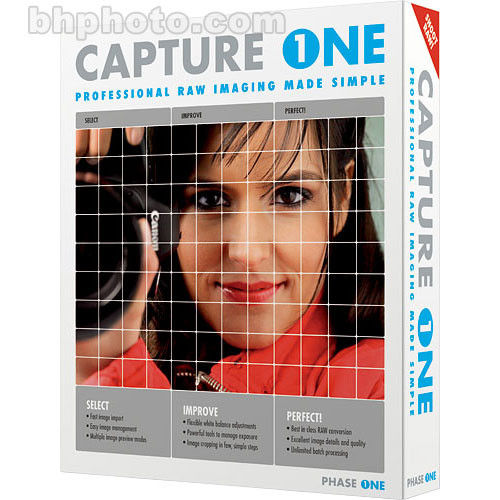
Welcome to our blog post on Capture One Pro, the leading professional photo workflow software. In this article, we will explore the various features and benefits of Capture One Pro, and provide you with all the information you need to make an informed decision about downloading and using this powerful tool for your photography needs.
What is Capture One Pro?
Capture One Pro is a comprehensive photo editing and management software developed by Phase One. It is designed to meet the needs of professional photographers and offers a wide range of advanced features to enhance and streamline your workflow.
Whether you are a seasoned professional or an aspiring photographer, Capture One Pro provides a powerful set of tools to help you achieve stunning results with your images. From importing and organizing your photos to advanced editing and exporting, this software has it all.
Key Features of Capture One Pro
- Advanced Image Editing: Capture One Pro offers a wide range of tools and adjustment options to bring out the best in your photos. From basic adjustments like exposure and color correction to advanced features such as layers and masks, you have complete control over every aspect of your image.
- Efficient Workflow: With Capture One Pro, you can streamline your photography workflow and save valuable time. The software allows you to import, organize, and categorize your photos with ease. Its intuitive interface and customizable workspace make it easy to navigate and find the tools you need.
- Tethered Shooting: Capture One Pro supports tethered shooting, allowing you to connect your camera directly to your computer and capture images in real-time. This feature is particularly useful for studio and commercial photographers who need to see their images on a larger screen immediately.
- RAW Image Processing: Capture One Pro is renowned for its outstanding RAW image processing capabilities. It provides excellent support for different camera models, ensuring that you can extract the maximum level of detail and color accuracy from your RAW files.
- Color Grading: Achieving the perfect color grading is crucial for professional photographers. Capture One Pro offers powerful tools for color grading, including color wheels, advanced color editor, and the ability to create custom color profiles. This allows you to achieve consistent and accurate colors across your entire portfolio.
- Asset Management: With Capture One Pro, you can easily organize and manage your large image library. The software provides powerful search and filtering options, allowing you to quickly find specific images based on keywords, ratings, or other metadata.
- Layered Editing: One of the standout features of Capture One Pro is its layered editing capabilities. You can create and work with multiple layers, making selective adjustments to specific areas of your image. This non-destructive editing approach gives you unparalleled control over the final result.
- Instant Tethered Capture: Capture One Pro allows you to instantly capture images directly into the software using a supported camera. This feature is particularly useful for studio photographers who need to review and edit their shots in real-time.
- Exporting and Publishing: Once you have finished editing your images, Capture One Pro offers a wide range of export and publishing options. You can export your photos in various file formats, sizes, and color spaces, making it easy to share them on social media, print, or display them on your website.
- Customizable User Interface: Capture One Pro allows you to customize the user interface to suit your specific preferences and workflow. You can create multiple workspaces with your preferred tools and layout, ensuring a seamless and efficient editing experience.
Why Choose Capture One Pro?
There are several reasons why Capture One Pro stands out as the go-to software for professional photographers:
- Unparalleled Image Quality: The RAW image processing engine of Capture One Pro is renowned for its exceptional image quality. It ensures that you can extract every detail and color nuance from your photos, resulting in stunning and true-to-life images.
- Powerful Editing Tools: Capture One Pro offers a comprehensive set of editing tools that rival those of other professional photo editing software. From basic adjustments to advanced retouching and layering capabilities, this software has it all.
- Efficient Workflow: With its intuitive interface and efficient workflow features, Capture One Pro allows you to spend less time on repetitive tasks and more time on creative editing. The software's speed and performance ensure that you can work seamlessly without any lag or delays.
- Industry-Standard Tethering: Capture One Pro is widely recognized as one of the best tethering solutions available. It offers reliable and stable tethered shooting, providing instant image previews and control over camera settings directly from the software.
- Extensive Camera Support: Capture One Pro supports a wide range of cameras, including major brands like Canon, Nikon, Sony, Fujifilm, and more. This ensures that no matter the camera you use, you can take advantage of the software's powerful features.
- Regular Updates and Support: Phase One, the company behind Capture One Pro, is committed to providing regular updates and improvements to the software. They also offer excellent customer support, ensuring that you have access to assistance whenever you need it.
How to Download Capture One Pro
Downloading Capture One Pro is a simple and straightforward process:
- Visit the official Capture One Pro website.
- Navigate to the "Downloads" section of the website.
- Choose the appropriate version of Capture One Pro for your operating system (Windows or macOS).
- Click on the "Download" button to start the download.
- Once the download is complete, locate the installation file on your computer.
- Double-click on the installation file to start the installation process.
- Follow the on-screen instructions to complete the installation.
- Once the installation is finished, launch Capture One Pro.
- If you haven't purchased a license yet, you can choose to start a free trial or purchase a license directly from the software.
- Enter your license key (if applicable) and start exploring the powerful features of Capture One Pro!
Conclusion
Capture One Pro is undoubtedly one of the best choices for professional photographers looking for a comprehensive photo workflow solution. With its advanced editing tools, efficient workflow features, and outstanding image quality, it's no wonder why it's favored by many professionals in the industry.
Whether you are a commercial photographer, a wedding photographer, or simply passionate about photography, Capture One Pro provides the tools and capabilities to take your images to the next level. Download it today and experience the power of professional photo workflow firsthand!


Comments
Post a Comment